
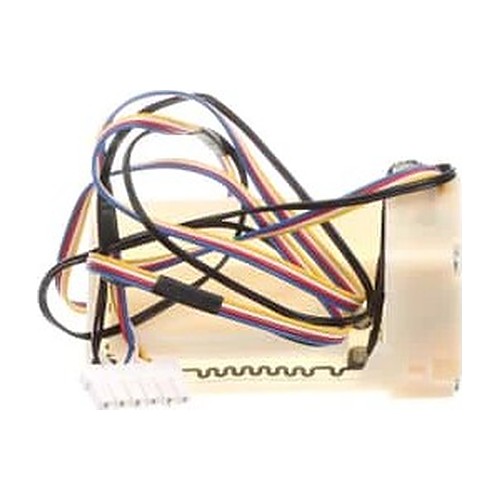
Control Panel Key Module for Samsung Microwave MG28F301TAK/FA – DE96-01021A

Genuine Samsung control panel key module, part number DE96-01021A, for the Samsung MG28F301TAK/FA grill microwave. It is the electronic button unit inside the control panel, which picks up each button press and passes it to the main board. Replace it if buttons don’t respond, only work when pressed hard, or the microwave beeps and reacts without being touched.

  • Part number: DE96-01021A
  • Fits: Samsung MG28F301TAK/FA
  • Fixes: microwave buttons not working, some buttons not responding, buttons needing a hard press, microwave beeping or changing settings by itself
  • Genuine Samsung part, delivered anywhere in South Africa. Faulty parts are covered for 6 months from delivery under the Consumer Protection Act.

DE96-01021A ASSY KEY MODULE MG23F302TAS DKM-MS23T-00 MS28F301TAK/FA (Ver: 00)

SKU: DE96-01021A

R130,00

Cant Find What You Need?

WhatsApp us to enquire 

WhatsApp Now

Payment Methods:

Description

Samsung Microwave Key Module DE96-01021A for the MG28F301TAK/FA

The key module, part number DE96-01021A, is the button unit inside the control panel of the Samsung MG28F301TAK/FA grill microwave. Samsung lists it as ASSY KEY MODULE, with the module code DKM-MS23T-00. It is also known as the keypad, keyboard or button board. It sits behind the buttons you press on the front of the microwave and is connected to the main circuit board. This is a genuine Samsung part.

What does the key module do?

Each time you press a button to choose a cooking mode, set the time or start the microwave, a switch on the key module closes. The plastic buttons on the front of the control panel simply press on these switches. The main board reads which switch was pressed and runs the programme you chose. If the switches wear out, crack or get damp, the main board no longer receives the right signals. Buttons then stop responding, or the microwave seems to press buttons by itself.

Signs your Samsung key module needs replacing

  • One or more buttons on the microwave don’t respond
  • Buttons only work if you press them very hard or several times
  • The microwave beeps, changes settings or starts without anyone touching it
  • The wrong function comes up when you press a button
  • The buttons stopped working after steam, a spill or cleaning spray got into the control panel

Rule these out first: if your microwave has a child lock, make sure it is switched off (your user manual explains how), and unplug the microwave for a minute to reset it. If the display is blank as well, the main fuse or the main board is a more likely cause than the key module. A cracked or stuck plastic button on the front can also stop a key from working.

Compatible Samsung Microwave models

Samsung model numberType
MG28F301TAK/FA (MG28F301TAK)Grill microwave oven

Not sure which model you have? The model number is on the rating sticker inside the door frame or on the back of the microwave. If your model is not listed, send us the model number and we will check whether this part fits before you order.

Specifications

Part numberDE96-01021A
Part typeControl panel key module (button unit)
Also known asKeypad, keyboard, button board, key PCB, control panel switch module
Samsung descriptionASSY KEY MODULE; DKM-MS23T-00
PositionInside the control panel, behind the buttons
Cross-reference numbersAP5800740
Used inSamsung grill microwave ovens
ConditionNew, genuine Samsung (OEM) part
WarrantyFaulty parts are covered for 6 months from delivery under the Consumer Protection Act

Frequently asked questions

Will DE96-01021A fit my Samsung MG28F301TAK/FA?

Yes. It is listed for the MG28F301TAK/FA grill microwave. For any other model, send us the model number and we will confirm.

Is the main circuit board included with the key module?

No. This is the key module only. The main board for the MG28F301TAK/FA is a separate part, DE92-03487D.

Some of my microwave buttons work and others don’t. Is it the key module?

Usually, yes. When the display works normally and only some buttons fail, the switches in the key module are the most likely cause. If none of the buttons work and the display is blank, check the fuse and the main board first.

Can the old key module be repaired?

Samsung supplies it only as a complete module, so the reliable fix is to replace the whole unit.

Why buy Samsung spare parts from us?

  • Samsung authorised parts and repair centre
  • Genuine Samsung parts. Faulty parts are covered for 6 months from delivery under the Consumer Protection Act, and we pay the courier to send them back to us. How to return a part
  • Nationwide delivery across South Africa, including Johannesburg, Pretoria, Cape Town, Durban, Gqeberha and Bloemfontein
  • Samsung repair centres in Umhlanga, KwaZulu-Natal, and Pretoria, Gauteng